FAQ
Frequently asked questions about CodeCode.Me products.
How to Activate Premium Features
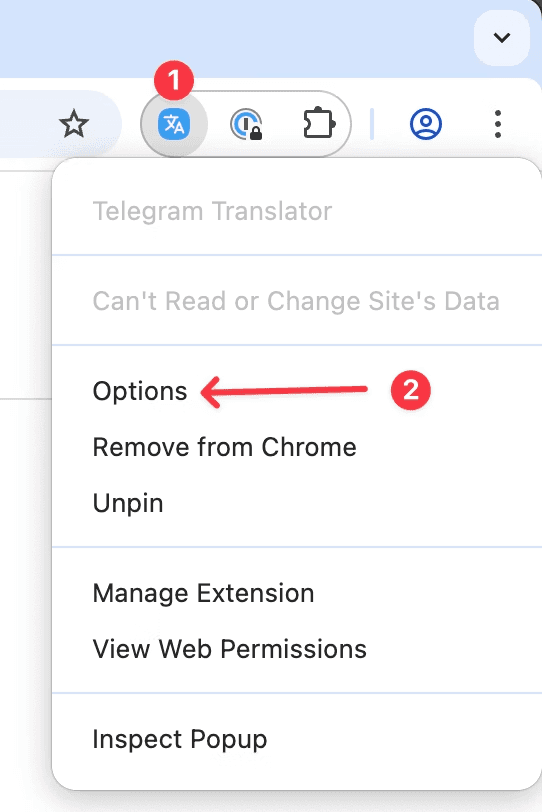
Open the Extension Options Page
Select the License Tab and Activate Your License
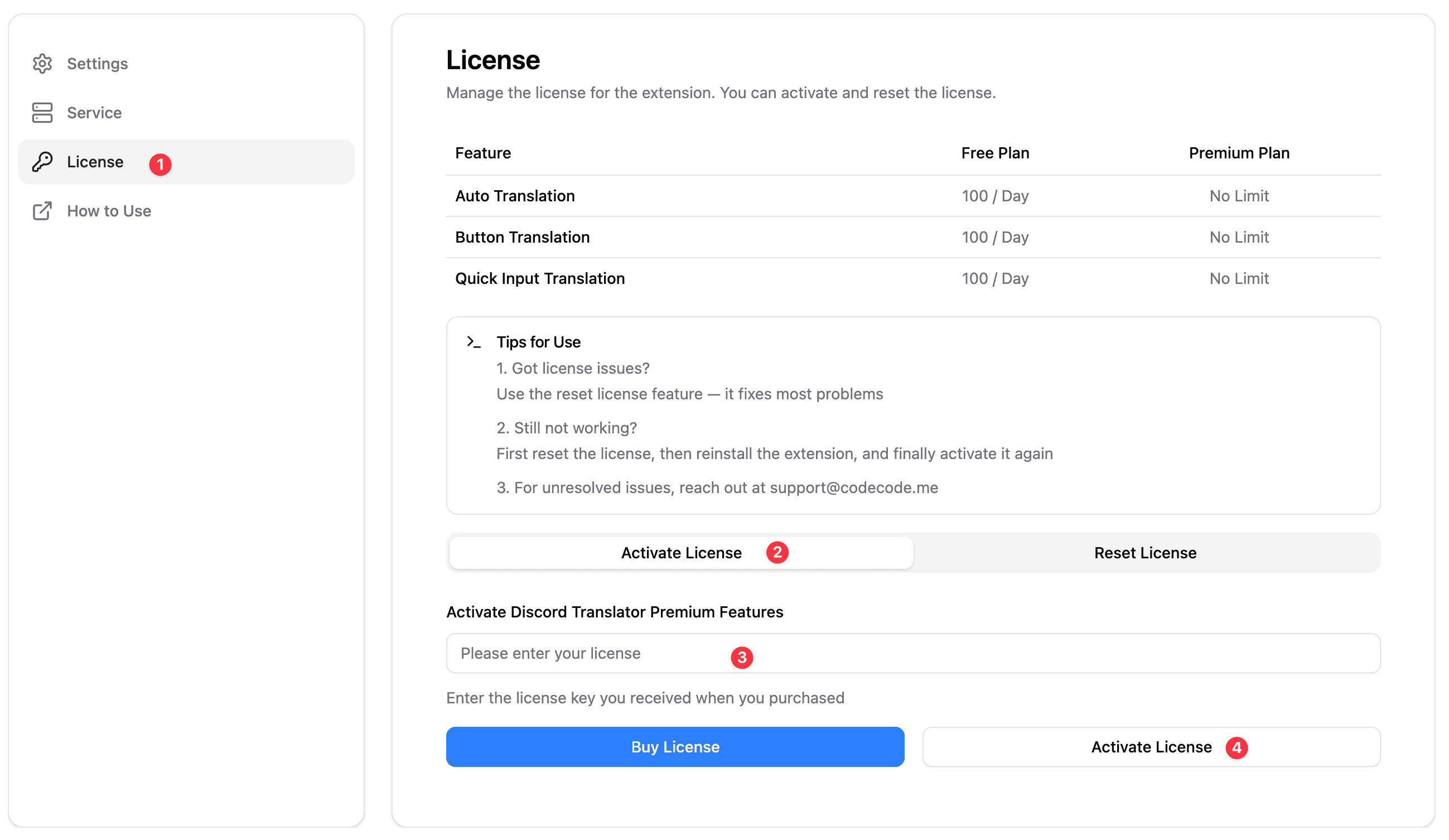
Refresh the Web Page
- After activating your license, refresh the web page for the changes to take effect.
- If it still doesn’t work, try reopening Chrome.
If your license still doesn’t activate after several attempts, please contact our support team at support@codecode.me for assistance.
How to Reset Your License
Open the Extension Options Page
Select the License Tab and Reset Your License
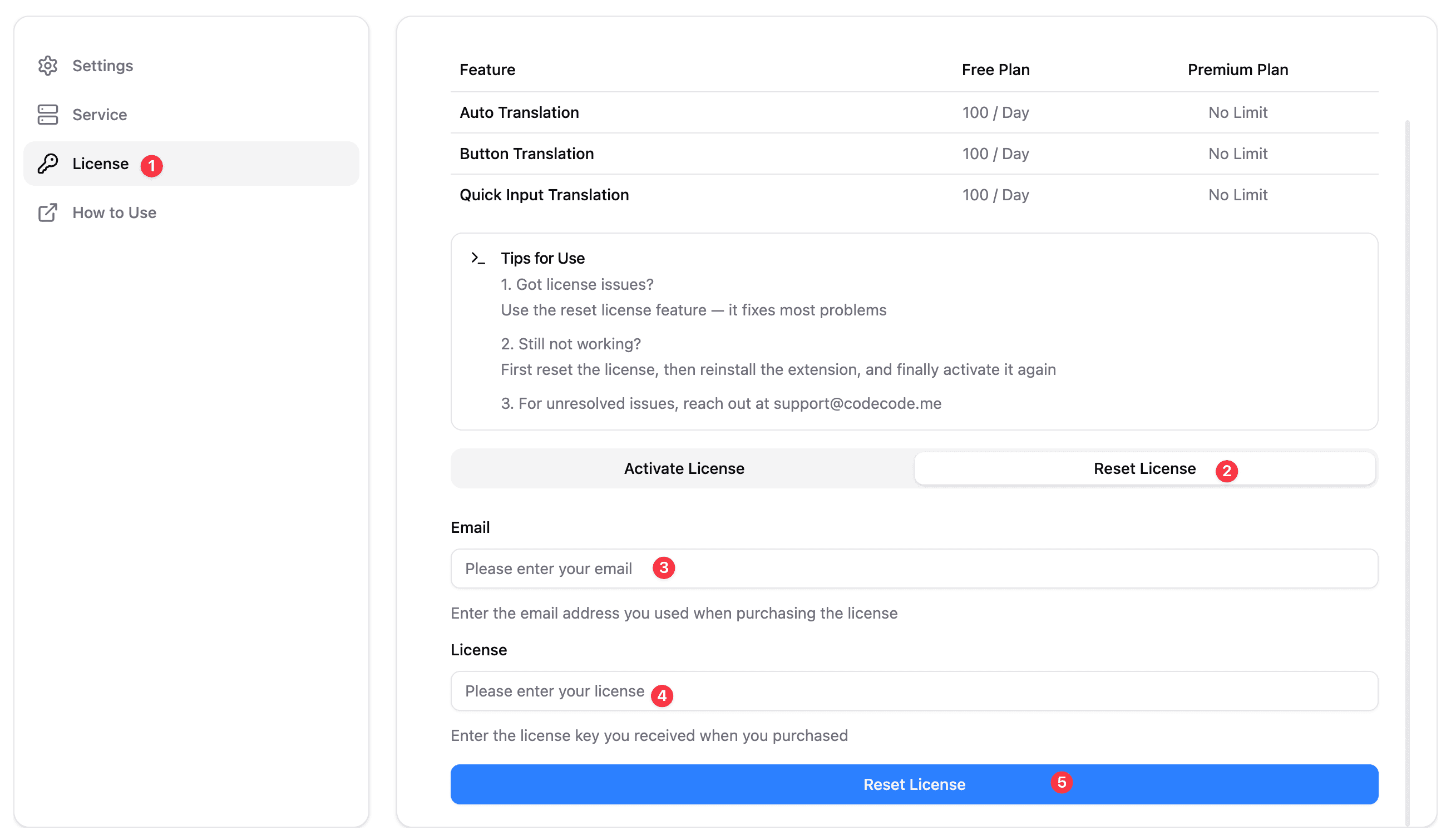
If you experience issues resetting your license, please reach out to support@codecode.me with your license details for further help.